CH340 USB to DB9 Serial Converter Cable
📌 Product Overview
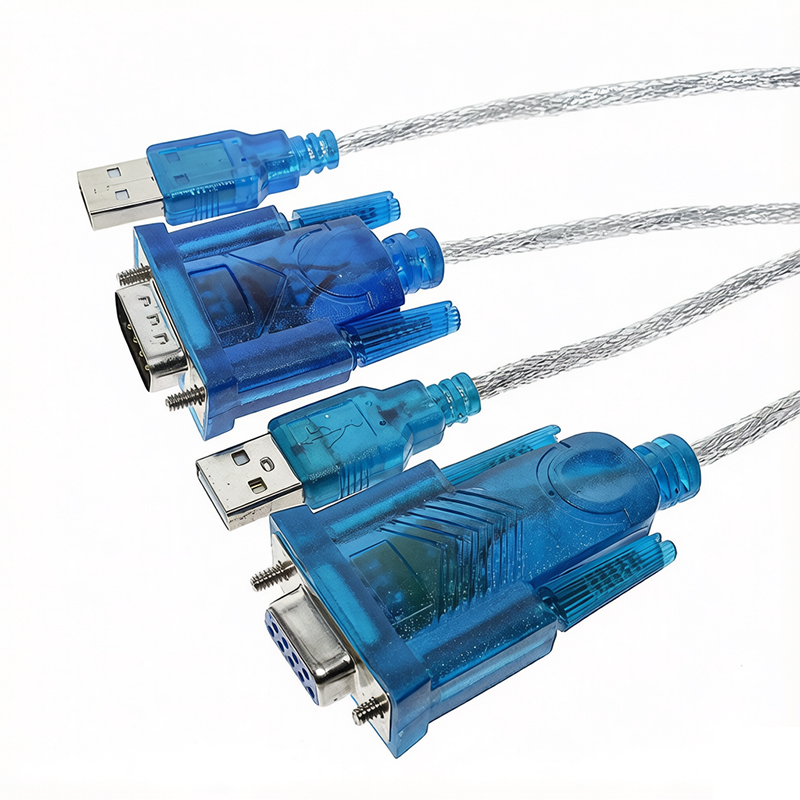
This CH340 USB to DB9 serial adapter cable adopts high‑performance CH340 conversion chip, which realizes the signal conversion between computer USB port and standard 9‑pin serial port. It features double‑layer shielding wire design, stable data transmission and low power consumption. The product is TTL level output instead of RS232 level, compatible with multiple Windows operating systems. It solves the problem that modern notebooks and industrial computers lack physical serial ports, and is widely used for microcontroller program downloading, industrial equipment debugging and serial device communication.
✨ Core Features
- Built‑in reliable CH340 conversion chip, support USB to serial port signal conversion.
- Double‑layer shielding cable with 96‑strand braided aluminum foil, anti‑interference and stable transmission.
- USB2.0 standard, backward compatible with USB1.1 / 1.0, full‑speed transmission up to 12Mbps.
- TTL logic level output, pin definition keeps consistent for male and female DB9 connectors.
- No external power supply required, bus‑powered by USB interface.
- Wide system compatibility: Win XP / Win7 / Win8 / Win10 / Mac OS, support 64‑bit system.
- LC power filter circuit is adopted inside to guarantee stable chip operation.
📋 Product Specifications
| Item |
Parameter |
| Chip Model |
CH340 |
| Interface |
USB‑A to DB9 9‑Pin |
| Cable Length |
Approx 85cm |
| Communication Level |
TTL Level |
| USB Standard |
USB2.0 Full‑Speed, backward compatible with USB1.1 / 1.0 |
| Max Baud Rate |
12Mbps |
| Shell Material |
Transparent blue plastic housing |
| Cable Structure |
4‑core conductor + double‑layer shielding |
| Working Temperature |
-40℃ ~ +85℃ |
🔌 Terminal Definition ‑ Pin1: DCD, Data carrier detect (Input) ‑ Pin2: RxD, Receive data (Input) ‑ Pin3: TxD, Transmit data (Output) ‑ Pin4: DTR, Data terminal ready (Output) ‑ Pin5: GND, Power ground ‑ Pin6: DSR, Data set ready (Input) ‑ Pin7: RTS, Request to send (Output) ‑ Pin8: CTS, Clear to send (Input) ‑ Pin9: RI, Incoming call signal (Input)
📑 Model Description ‑ Male DB9: 9‑pin male serial connector ‑ Female DB9: 9‑pin female serial connector ‑ Note: Both versions use TTL level, not RS232 electrical level.
🛠 Wiring Instruction
- Install CH340 driver software CH340.EXE on the computer in advance.
- Insert the USB‑A plug into the computer USB port.
- Connect the DB9 9‑pin terminal to your serial communication device.
- Check the newly generated COM port number in Windows Device Manager for serial debugging.
- Not applicable to engraving machines, plotters and tax controllers that require RS232 level.
🎯 Application Scenarios ‑ STC and other microcontroller firmware download and program burning ‑ Debugging industrial control equipment, serial test and data acquisition ‑ Communication for LED display control card and serial peripheral modules ‑ Connection for PDA, modem, ISDN terminal adapter and old serial devices ‑ Embedded project development, DIY electronic experiment and secondary development








 Jerry ChenPerson in ChargeChat